Clearing a clog takes five minutes. Stopping it coming back takes finding which of five causes you have, and four of them are not the nozzle. Work the list in order and buy at the end of it, not the start.
How this page is funded. Buy links go to Amazon and we earn a commission on qualifying purchases at no extra cost to you. Commission never decides an order or a score, we accept no free products or sponsored placements, and every roundup names something to skip. Full disclosure.
The picks, ranked
The picks, ranked
#
Product
Best for
Score
Price
1
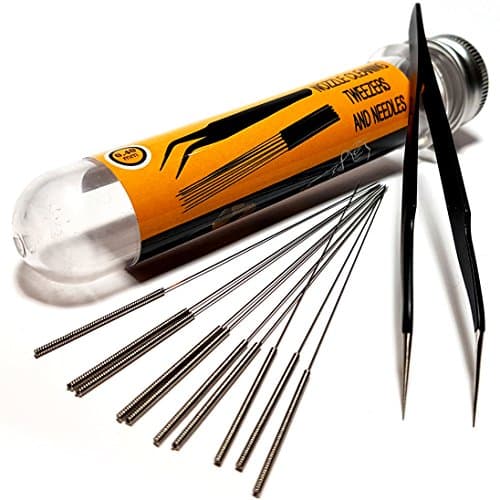
Nozzle Cleaning Needle KitMost nozzles people replace were partially blocked rather than worn. A needle at temperature and a cold pull clears the majority for the price of a coffee.Assorted needles, 0.2-0.6 mm
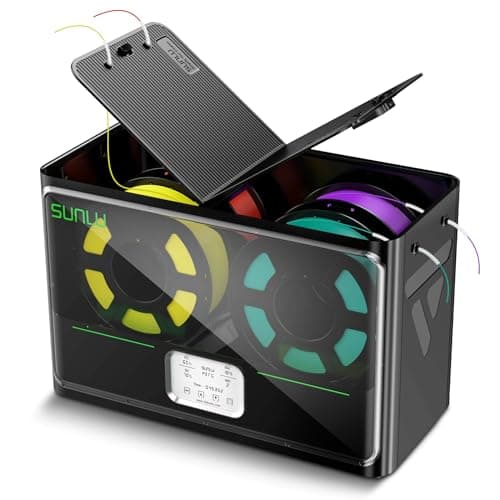
SUNLU FilaDryer S4Damp filament is the most under-diagnosed cause of recurring partial clogs. If clearing it works and then it returns in a day, this is where the money should go.Humidity setpoint, four spools
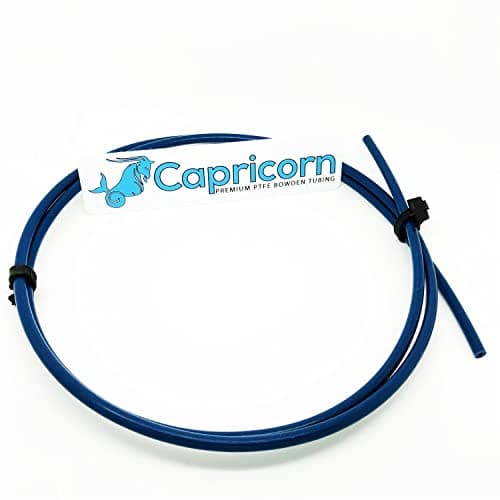
Capricorn XS PTFE Bowden TubingA worn tube or a badly cut end leaves a gap where filament pools and sets. It presents exactly like a nozzle clog and no amount of nozzle cleaning fixes it.Tight-bore PTFE, clean square cut
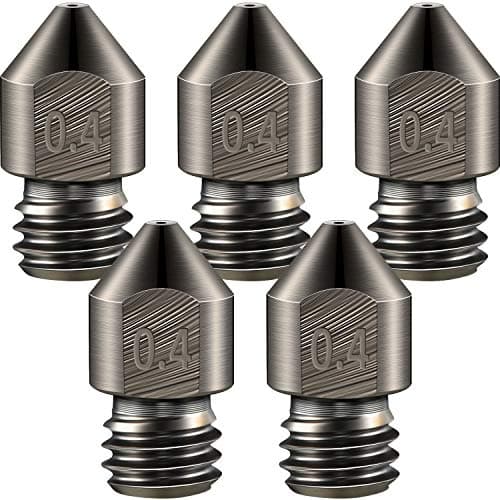
Hardened Steel NozzleComposites both clog and abrade. A hardened nozzle in a larger diameter removes most of the trouble; brass in 0.4 mm is the worst combination for them.Hardened steel, abrasion resistant
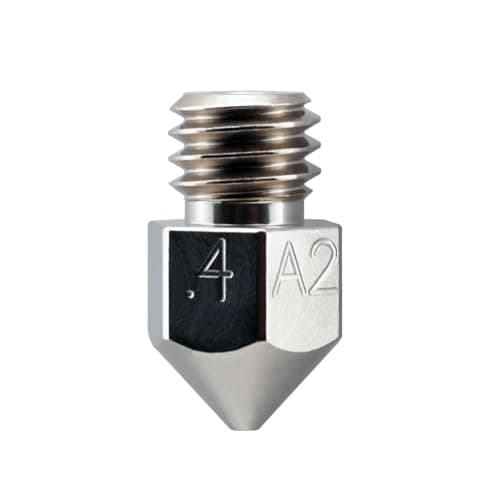
Micro Swiss Plated A2 Hardened Steel NozzleA premium nozzle is a fine upgrade and a poor diagnosis. Swapping hardware before finding the cause is how people end up with a drawer of nozzles and the same clog.Plated A2 hardened steelSkip this
Live prices verified October 28, 2026. Scores are our own fit rating for the stated use, not a measurement and not a customer rating.
Close crop of a 3D printer hotend and the tip of its nozzle.
First, decide which problem you have
A nozzle that blocks once and clears is an incident. A nozzle that blocks every few prints is a symptom, and treating it as an incident is why people end up replacing hardware that was never broken.
Total blockage. Nothing comes out, the extruder clicks or grinds. Usually debris, a burned deposit, or filament that set solid in the cold zone.
Partial blockage. Extrusion is thin, inconsistent, or starts fine and fades. This is the one that recurs, and it is almost always moisture, heat creep or an abrasive filament.
Not a clog at all. A worn nozzle over-extrudes consistently and drifts dimensionally rather than starving. That is a different diagnosis entirely — see the nozzle wear guide.
Clearing it, properly
Heat the hotend to printing temperature first. A needle in a cold nozzle achieves nothing except a scratched bore.
Push a cleaning needle of the right diameter through. Right diameter matters: a 0.6 mm needle in a 0.4 mm nozzle deforms the orifice, and a deformed orifice is a permanent extrusion problem.
Cold pull if the needle does not do it. Heat, push filament through by hand, drop to around 90 C for PLA, then pull firmly. The plug comes out on the end of the filament with a cast of the nozzle's inside — which is also your diagnosis.
Look at what came out. Black flecks mean burned residue from long hot dwell. Grit means filler. A clean cast with nothing in it means the blockage was above the nozzle, and you have a tube or heat-creep problem.
Cause one: wet filament
The most common cause of a clog that comes back, and the least suspected. Moisture in the filament flashes to steam in the melt zone, which foams the polymer, disrupts flow and leaves deposits that build into a partial blockage. The giveaway symptoms are popping or hissing during printing and a rough, fuzzy surface — the full list is on wet filament signs.
Prusa publish drying figures per material: 45 C for 6 hours for PLA, 55 C for 6 hours for PETG, 60 C for 4 to 6 hours for TPU and 80 C for 4 hours for ASA Prusa Research. Dry the spool, then keep it sealed — Bambu Lab publish that a dried spool in ordinary room air of about 55 percent humidity is affected again within hours, where one sealed below 20 percent holds for days Bambu Lab Wiki.
Cause two: heat creep
Heat travels up the filament path and softens the strand before it reaches the melt zone. The softened filament swells, jams in the cold side, and sets there. Symptoms: the print starts perfectly and fails partway in, or the jam happens after a long retraction-heavy section.
Check the part-cooling and hotend fans. A hotend fan that has slowed with dust is the single most common cause.
Check the PTFE tube. A tube cut at an angle, or one that has shrunk back from the nozzle with heat cycling, leaves a void where filament pools. Cut a clean square end and reseat it — the detail is on PTFE and spares.
Reduce retraction distance. Long retractions pull molten plastic up into the cold zone, where it solidifies. This is especially punishing with flexible filament.
Drop the temperature a few degrees if you are at the top of the material's published range for no particular reason.
Cause three: filled filament
Carbon and glass fiber are physical particles, and a narrow orifice is easy for them to bridge. They also wear the nozzle while they do it — E3D document measurable brass wear from filled filament within a few hundred grams E3D, so a composite user running brass has a clogging problem and a wear problem at the same time.
Two changes fix most of it: a hardened nozzle, and a larger diameter. A 0.6 mm hardened nozzle is a far more comfortable home for composites than a 0.4 mm brass one, and the size trade-offs are on nozzle sizes. Which composite brings which requirements is on PLA-CF versus PETG-CF.
Cause four: printing too cold, or too hot
Too cold and the polymer never fully melts, so unmelted core material accumulates against the orifice. Too hot and it degrades, leaving carbonized deposits that build up over hours and then break loose as flecks.
Both are avoided by staying inside the published window and calibrating rather than guessing. Prusa publish 185 to 235 C for PLA and 215 to 270 C for PETG at the nozzle Prusa Research, and the calibration sequence is on PLA print settings. If you are running the top of the PETG range to fix stringing, you have swapped one problem for another — the correct order is on PETG print settings.
Cause five: debris and dust
Filament drags dust along its whole path, and a cardboard spool sheds fibers of its own. Both end up in the melt zone. A cheap felt or sponge filament filter clipped before the extruder catches most of it, and costs nothing next to a nozzle change.
Storage helps here too, for the same reason it helps with moisture: a spool in a sealed box is not collecting workshop dust between prints. The gear is on how to store filament.
When the nozzle really is the problem
Replace it when the bore is visibly deformed, when a needle of the correct size no longer passes cleanly, or when the tip has been crashed into a print. Replace it as a wear item if you print filled filament regularly, on the schedule in when to replace consumables.
What not to do is buy a premium nozzle as a diagnosis. It is a good upgrade and a bad substitute for finding the cause, which is why it sits in the skip row above. The material choice — brass for unfilled, hardened for filled — is on best 3D printer nozzle.
Every pick, in detail
01
Nozzle Cleaning Needle Kit
Generic
Do this before buying anything else · 9.0/10 our fit score
Two dollars that saves a nozzle change. Keep one in the drawer and use it before you conclude the nozzle is dead.
Published specifications for Nozzle Cleaning Needle Kit
Contents
Assorted needles, usually 0.2-0.6 mm
What it does well
Clears a partial clog in a minute without disassembling the hotend
The needles double as a way to confirm the bore is the size printed on the nozzle
What it does not
A cold needle in a cold nozzle achieves nothing; heat the hotend first
Over-enthusiastic use can scratch the bore and make extrusion worse
If you print filled filament · 8.0/10 our fit score
The five-dollar part that stops abrasive filament from quietly widening your nozzle mid-print. Buy one before your first carbon fiber spool, not after.
Published specifications for Hardened Steel Nozzle
Common size
0.4 mm
Required for
Carbon fiber, glass filled, glow in the dark, metal filledE3D
Trade-off
Lower thermal conductivity than brass
What it does well
E3D document substantial wear on a brand new brass nozzle after only 250 g of carbon-fiber-filled filament
Cheap enough to keep a spare in the drawer
What it does not
Conducts heat worse than brass, so very high flow rates need a few degrees more
Hardened steel tempers and softens at extreme temperatures — E3D make this point explicitly
Heat the hotend to printing temperature, push a cleaning needle of the correct diameter through the tip, and if that fails do a cold pull: push filament through hot, cool to around 90 C for PLA, then pull firmly. Inspect what comes out — it tells you the cause.
+ − Why does my nozzle keep clogging again?
A recurring partial clog is usually moisture, heat creep or an abrasive filament rather than the nozzle. Dry the spool to the published figure for the material, check the hotend fan and PTFE tube, and fit a hardened nozzle in a larger diameter if you print composites.
+ − Can wet filament clog a nozzle?
Yes, and it is the most under-diagnosed cause. Moisture flashes to steam in the melt zone, foams the polymer and leaves deposits that build into a partial blockage. Popping sounds and a fuzzy surface are the tell.
+ − Should I replace the nozzle or clean it?
Clean first, every time. Most nozzles that get replaced were partially blocked rather than worn. Replace when the bore is deformed, when a correctly sized needle will not pass, or when the tip has been crashed.