Prusa Research publish 185 to 235 C at the nozzle and 50 to 60 C at the bed for PLA as a class. The correct number inside that range is a property of your hotend and your spool together, which is why the answer is a calibration sequence rather than a number.
How this page is funded. Buy links go to Amazon and we earn a commission on qualifying purchases at no extra cost to you. Commission never decides an order or a score, we accept no free products or sponsored placements, and every roundup names something to skip. Full disclosure.
The picks, ranked
The picks, ranked
#
Product
Best for
Score
Price
1
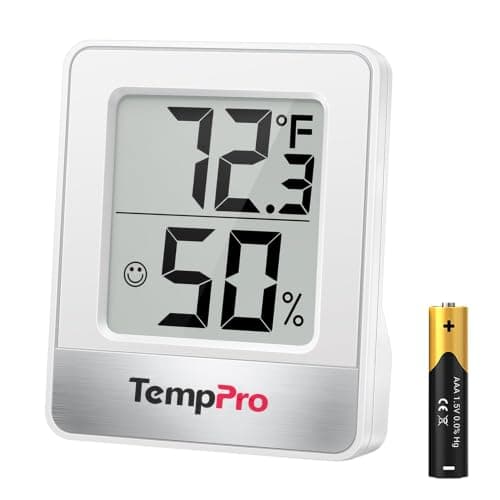
Digital HygrometerHalf of what gets blamed on settings is moisture. A few dollars of instrument tells you which problem you have before you start changing numbers.Reads ambient RH
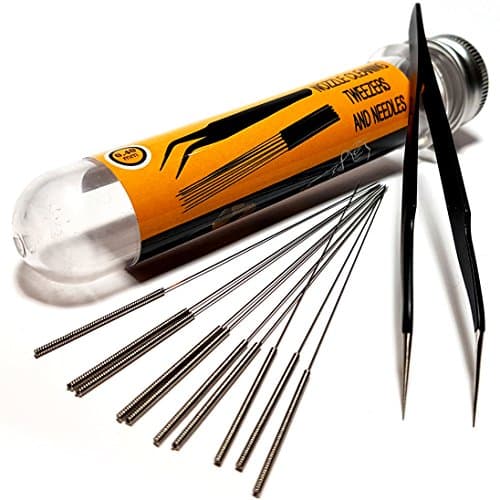
Nozzle Cleaning Needle KitThe other thing that masquerades as a settings problem. Clear the nozzle before you conclude the profile is wrong.0.4 mm and 0.6 mm needles
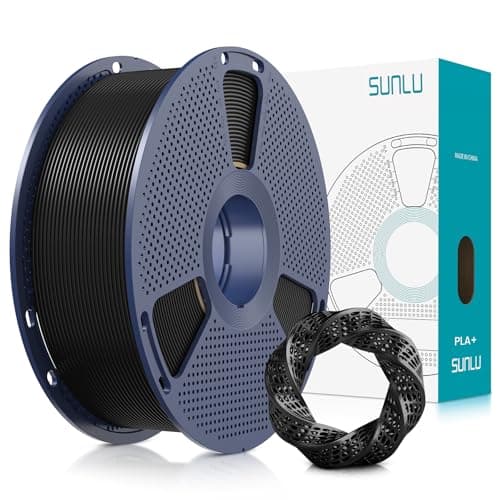
SUNLU PLA+Calibrating on an unknown budget spool means debugging two variables at once. Start from something predictable.PLA+ grade, published tolerance
Published drying temperatures and times. Prusa Research and Overture disagree on several materials; both figures are shown rather than averaged. A dash means that manufacturer does not publish a figure for that material. Where they differ, the lower temperature for longer is the safer starting point. Figures from Prusa Research, Overture, Prusa Research, retrieved 2026-09-06.
The published window
Prusa Research publish a nozzle range of 185 to 235 C and a bed range of 50 to 60 C for PLA as a material class Prusa Research. Individual brands publish narrower windows inside that, usually a 20-degree band. Those are the boundaries of the search, not the answer.
The reason nobody can hand you a single number is that the temperature reported by your hotend is a thermistor reading at one point in a metal block, not the temperature of the plastic in the melt zone. Two printers reading 210 C can be melting plastic at meaningfully different temperatures. This is why a profile that works perfectly for someone else can under-extrude on your machine with the identical spool.
The calibration sequence, in order
Order matters, because each test assumes the previous one is correct.
Extruder steps (E-steps). Ask the printer to push 100 mm of filament and measure what it actually pushed. Everything downstream is wrong if this is wrong. Do it once per printer, not per spool.
Temperature tower. A single print that steps through the range in five-degree bands. You are looking for the lowest temperature that still gives clean layer adhesion — lower is better for overhangs and stringing, higher is better for strength, and the correct answer is the lowest point where the part does not delaminate.
Flow rate. Print a single-wall cube and measure the wall with calipers. If it is thicker than the nominal extrusion width, flow is high. This is where budget filament's looser diameter tolerance gets absorbed.
Retraction. Only now, and only if you are seeing stringing. Tuning retraction before temperature means tuning it against a moving target.
Reasonable starting points
For a first layer, run the nozzle five to ten degrees hotter than your tower result and the bed at the top of the published range. First-layer adhesion is the one place where more heat is nearly always the right answer, and a first layer that fails takes the whole print with it.
Bed temperature
60 C works for essentially all PLA on a PEI surface. Higher than that starts to soften the part near the bed and can cause elephant-foot bulging on the first few layers. If parts are lifting at the corners, the problem is more often a dirty plate than a cold one — PLA warps very little compared with ABS, and Prusa's warping guidance covers the mechanism Prusa Research.
Cooling
PLA wants maximum part cooling after the first layer. It is the one common material where you can run the fan at 100 percent without hurting layer adhesion much, and it is why PLA does overhangs and bridges better than anything else on a stock printer.
Speed
Speed is a property of your printer, not of PLA. A well-tuned modern machine will run PLA far faster than an older one, and the limiting factor is usually how fast the hotend can melt plastic rather than anything about the material. Increase speed after the four calibrations above, not before.
When the answer is drying, not settings
PLA is the least hygroscopic common filament, but a spool that has been open in a humid room for months will pop, string and produce a rough surface no temperature change fixes. Prusa publish 45 C for six hours for PLA Prusa Research; Overture publish 50 C for seven Overture. The gap between two published figures is itself useful — it tells you the tolerance is wider than any single number implies.
There is no single correct number. Prusa publish 185 to 235 C as the class range; your printer's correct value inside that depends on how its thermistor reads and how the spool was extruded. Run a temperature tower and take the lowest temperature that still gives clean layer adhesion.
+ − Why is my PLA stringing?
In order of likelihood: the filament is wet, the nozzle is too hot, or retraction is under-tuned. Check moisture first because it is the fastest to rule out and the most commonly misdiagnosed. Only tune retraction after temperature is settled.
+ − Do I need to recalibrate for every new spool?
Not for every spool of the same product. Re-run a temperature tower and a flow test when you change brand, and when you change to a noticeably different color from the same brand — pigments do affect how the material flows.
+ − What bed temperature should I use for PLA?
60 C covers essentially all PLA on a PEI surface, inside Prusa's published 50 to 60 C range. If corners lift, suspect a dirty plate before a cold one — PLA warps very little.